> ## Documentation Index
> Fetch the complete documentation index at: https://auth0.com/llms.txt
> Use this file to discover all available pages before exploring further.
> Learn how to manage XAA flows in the Okta Admin Console.
# Manage Cross App Access (XAA) in Okta
export const ReleaseStageNotice = ({feature, stage, plans, contact, terms}) => {
const stageTextMap = {
"beta": "Beta",
"ea": "Early Access"
};
const stageText = stageTextMap[stage] || "a product release stage";
const prsLink = "/docs/troubleshoot/product-lifecycle/product-release-stages";
const linkify = (text, url) => {
return {text};
};
const includeDetails = (plans, contact, terms) => {
const hasDetails = terms || plans || contact;
if (!hasDetails) return null;
return
{plans && <>This feature is available for {linkify(`${plans} plans`, "https://auth0.com/pricing")}. }
{contact && "To participate, contact " + contact + ". "}
{terms && <>By using this feature, you agree to the applicable Free Trial terms in Okta's {linkify("Master Subscription Agreement", "https://www.okta.com/legal")}.}
;
};
return
The {feature} feature is in {linkify(stageText, prsLink)}.
{includeDetails(plans, contact, terms)}
;
};
Once you've finished setting up your end-to-end test environment, you can manage how valid XAA applications can connect to each other in the Okta Admin Console.
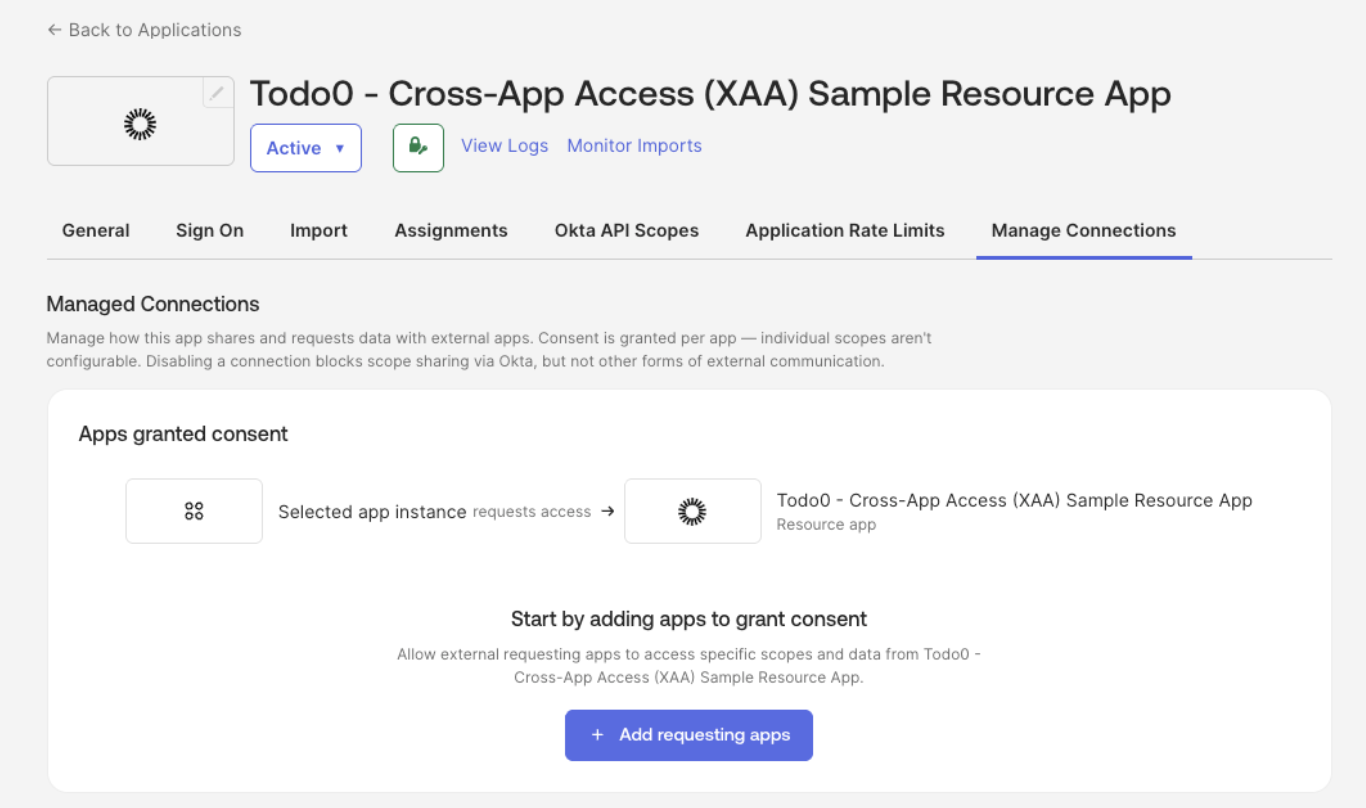 In the Okta Admin Console:
1. Navigate to **Applications > Applications** and select your Resource App (e.g. Todo0).
2. Under the **Manage Connections** tab, add:
* Requesting Apps: applications that can connect to your SaaS application
* Resource Apps: applications your SaaS application can connect to
For the end-to-end test environment, add Agent0, or the application you want to use for testing, as an authorized Requesting App.
In the Okta Admin Console:
1. Navigate to **Applications > Applications** and select your Resource App (e.g. Todo0).
2. Under the **Manage Connections** tab, add:
* Requesting Apps: applications that can connect to your SaaS application
* Resource Apps: applications your SaaS application can connect to
For the end-to-end test environment, add Agent0, or the application you want to use for testing, as an authorized Requesting App.