

mfa-webauthn-platform-enrollment screen functionality. This screen is displayed when the user needs to enroll a platform authenticator, such as Touch ID or Face ID.
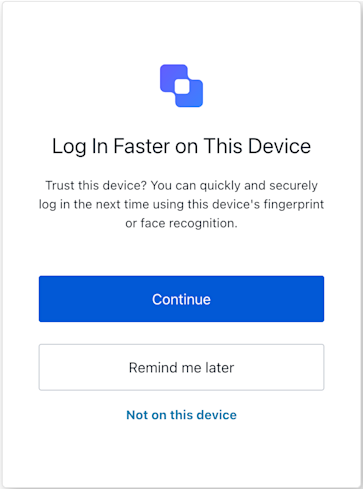
Constructors
Create an instance of MFA WebAuthn Platform Enrollment screen manager:Example
Properties
Provides branding-related configurations, such as branding theme and settings.
Provides client-related configurations, such as
id, name, and logoUrl, for the mfa-webauthn-platform-enrollment screen.Provides country code data for phone number entry, such as
available and recommended, for the mfa-webauthn-platform-enrollment screen.The active Experiment Center experiment for this screen, or
null when no experiment is active (or the screen has not opted in via context_configuration).Provides information about the user’s Organization, such as
id and name.Contains data about the current prompt in the authentication flow.
Contains details specific to the
mfa-webauthn-platform-enrollment screen, including its configuration and context.Contains data related to the tenant, such as
id and associated metadata.Provides transaction-specific data for the
mfa-webauthn-platform-enrollment screen, such as active identifiers and flow states.Handles untrusted data passed to the SDK, such as user input during MFA WebAuthn platform enrollment.
Details of the active user, including
username, email, and roles.Methods
Promise<void>
This method changes the display language of the Universal Login page.Method Parameters
Example
This method retrieves the array of transaction errors from the context, or an empty array if none exist.
Promise<void>
This method allows the user to refuse WebAuthn platform enrollment on the current device.
Example
Promise<void>
This method reports a browser-side error encountered during the WebAuthn Method Parameters
navigator.credentials.create() operation.Example
Promise<void>
This method allows the user to postpone WebAuthn platform enrollment.
Example
Promise<void>
This method initiates the WebAuthn platform credential creation and submits the resulting credential to the server.
Example
Promise<void>
This method allows the user to opt out of WebAuthn platform enrollment and select a different MFA method.
Example