

Subscribe to Public Cloud status updates
Select a Region, and then select Subscribe to get updates. You can choose from two options to view status:- Follow @auth0status on X to get the latest status updates.
- Subscribe to the Auth0 Atom or RSS feed to get status updates that affect your tenant. Replace
{YOUR_TENANT_DOMAIN}with your tenant’s Domain.
Check Auth0 status for Private Cloud
Go to the Auth0 Public Cloud Status, and then select Private Cloud Login. Once authenticated, you can see the status of any non-development environment (for example,travel0-prod-1) if it’s available on the Auth0 Converged Platform.
In order to access status for your Private Cloud environment, you need to be a member of the associated Public Cloud support tenant. For more information, read Open and Manage Support Tickets and Manage Dashboard Access.
Subscribe to Private Cloud status updates
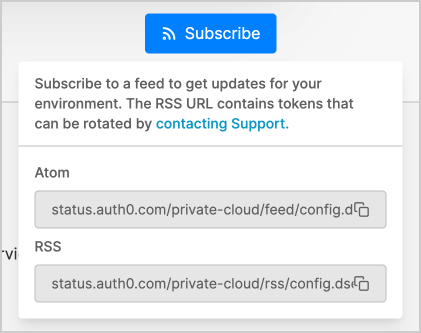
Select an Environment, and then select Subscribe. Subscribe to the Auth0 Atom or RSS feed by copying the generated URL in the ‘Subscribe’ box to get status updates that affect your environment.The generated ATOM / RSS Feed URL is unique per Private Cloud environment and contains tokens that can be rotated by contacting Support.
Check status of external services
We recommend that you monitor any remote you use with your Auth0 connections to quickly isolate the source of the problem. If you see potential issues with your Auth0 service, but Auth0 Status doesn’t indicate any problems, check the status of any external services that you use with Auth0, such as:- Amazon Web Services
- Azure Active Directory
- Citrix
- GitHub
- Google Cloud
- Google Workspace
- Heroku
- IBM
- Mandrill
- Microsoft Azure
- Resend
- SAP
- SendGrid
- SFDC
- Slack
- Twilio
- VM Ware