Hooks will reach end of life (EOL) on April 30, 2027.
  • As of October 16, 2023, Hooks are no longer available in newly created tenants.
  • As of November 18, 2024, Hooks are read-only. Active Hooks still run, and you can enable or disable them and change their configuration values and secrets. You can’t edit their code in the Dashboard, the Management API, or tools that use it, such as the Auth0 CLI, Deploy CLI, Terraform, and Agent Skills.
  • After April 30, 2027, Hooks stop running and are removed.
Use Actions to extend Auth0:
You can enable or disable hooks using the Dashboard or .
Although you may create multiple hooks for any given extensibility point, each extensibility point may have only one enabled hook at a time. Any subsequent hooks you create for that extensibility point are automatically disabled, so you must explicitly enable them. The enabled hook will be executed for all applications and APIs.
When creating new hooks, Auth0 automatically enables the first Hook you create for an extensibility point. Any subsequent hooks you create for that extensibility point are automatically disabled, so you must explicitly enable them.

Use the Dashboard

  1. Go to Auth0 Dashboard > Auth Pipeline > Hooks and locate the extensibility point for which you want to enable or disable a Hook.
  2. Click on the dropdown box located immediately under the extensibility point’s name and description.
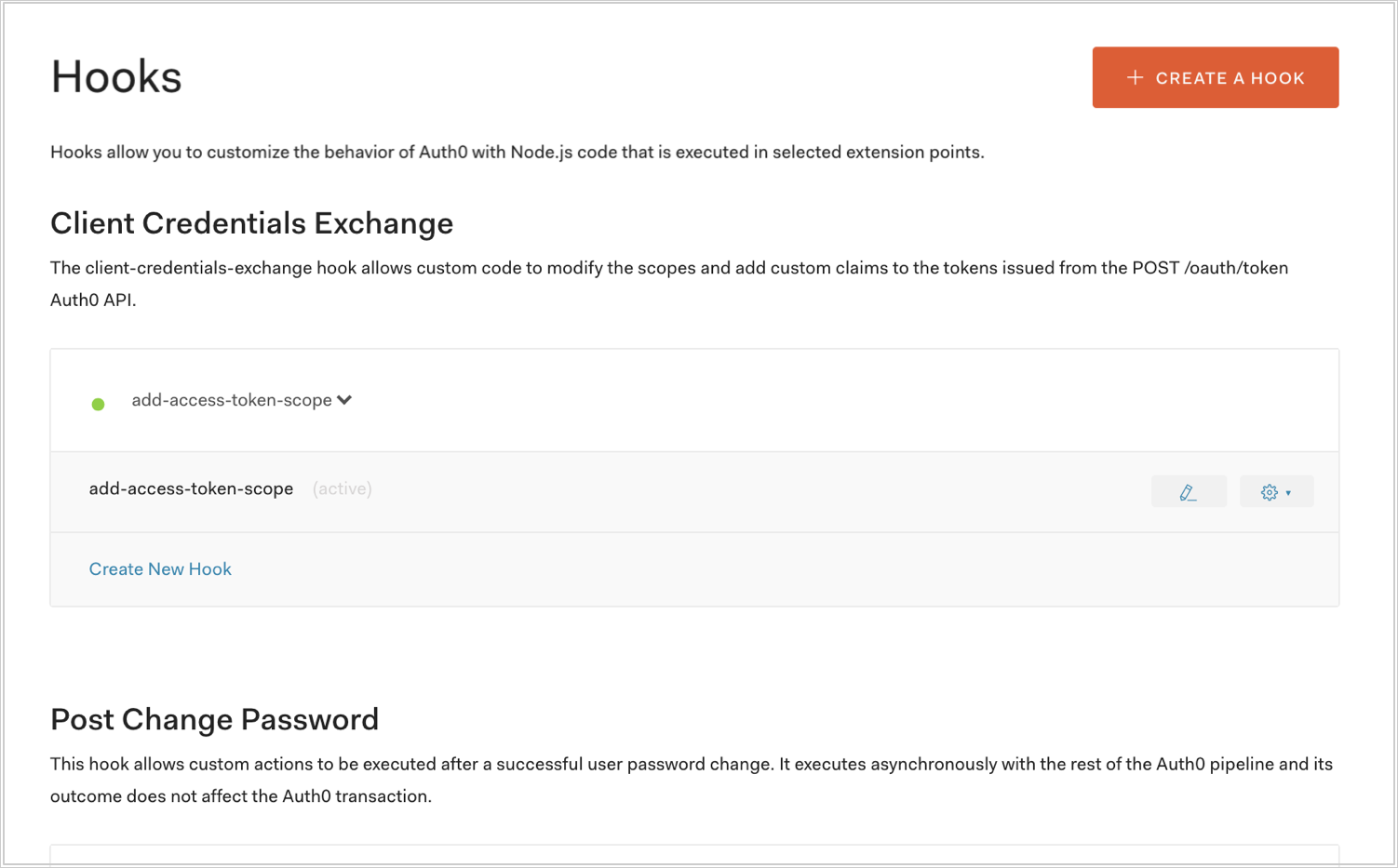
    Auth0 Hook selection
  3. Select the Hook you want to enable, and confirm. If you want to disable all Hooks, select None.
A green dot will appear next to the name of any enabled Hooks.

Use the Management API

Make a PATCH call to the Update a Hook endpoint. Be sure to replace HOOK_ID and MGMT_API_ACCESS_TOKEN placeholder values with your Hook ID and Management API , respectively.
Using the Auth0 CLI? If you haven’t already, set up and authenticate your CLI session before running this command.
The enabled property represents whether the rule is enabled (true) or disabled (false).