

Use Actions to extend Auth0:
- To learn more about Actions, read Understand How Auth0 Actions Work.
- To migrate, read Migrate from Rules to Actions.
How rules work
Rules are JavaScript functions that execute when a user authenticates to your application. They run once the authentication process is complete, and you can use them to customize and extend Auth0’s capabilities. For security reasons, your rules code executes isolated from the code of other Auth0 tenants in a sandbox. Rules also run during the token refresh flow. To learn more, read Refresh Tokens. In Auth0, the authentication transaction flow works as follows when you use rules: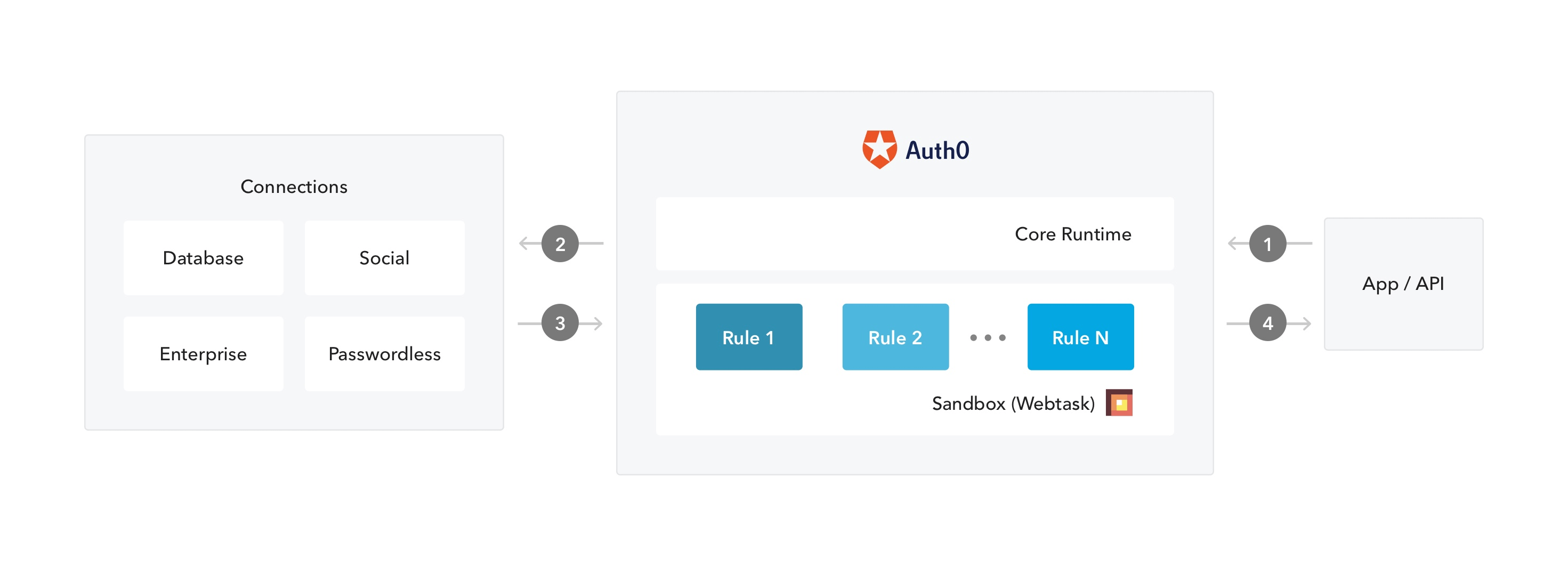
- An app initiates an authentication request to Auth0.
- Auth0 routes the request to an identity provider through a configured connection.
- The user authenticates successfully.
- The ID token and/or access token is passed through the rules pipeline, then sent to the application.
Prerequisite
If you plan to use global variables in your rule, be sure to configure your rules variables first. To learn more, read Configure Global Variables for Rules.Use the Dashboard
-
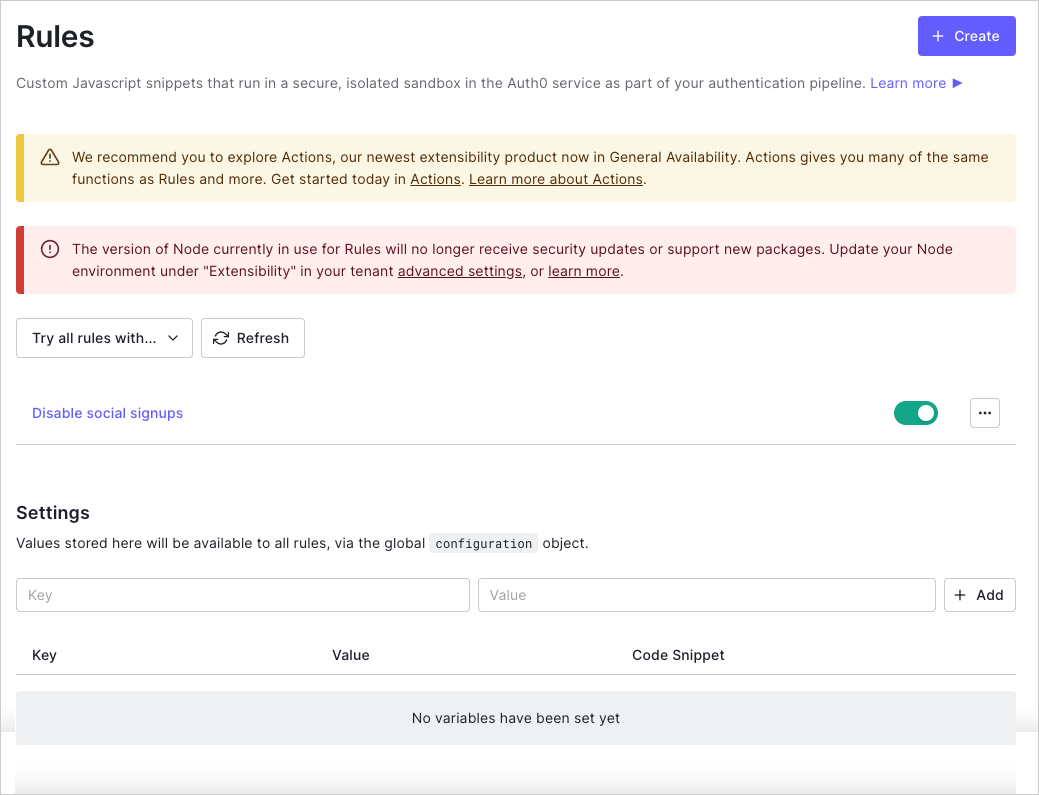
Go to Dashboard > Auth Pipeline > Rules and click Create.
-
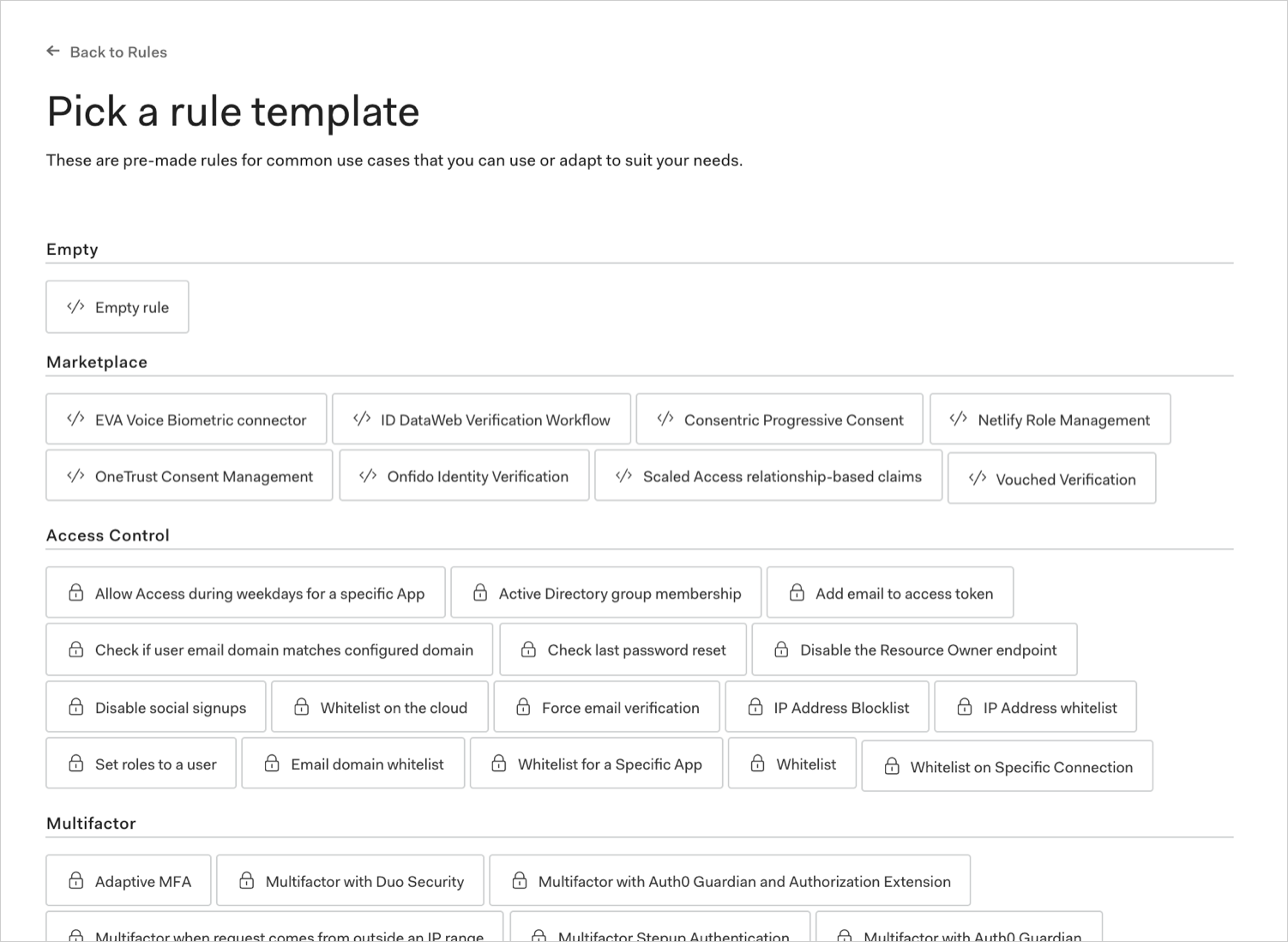
Select a rule template.
-
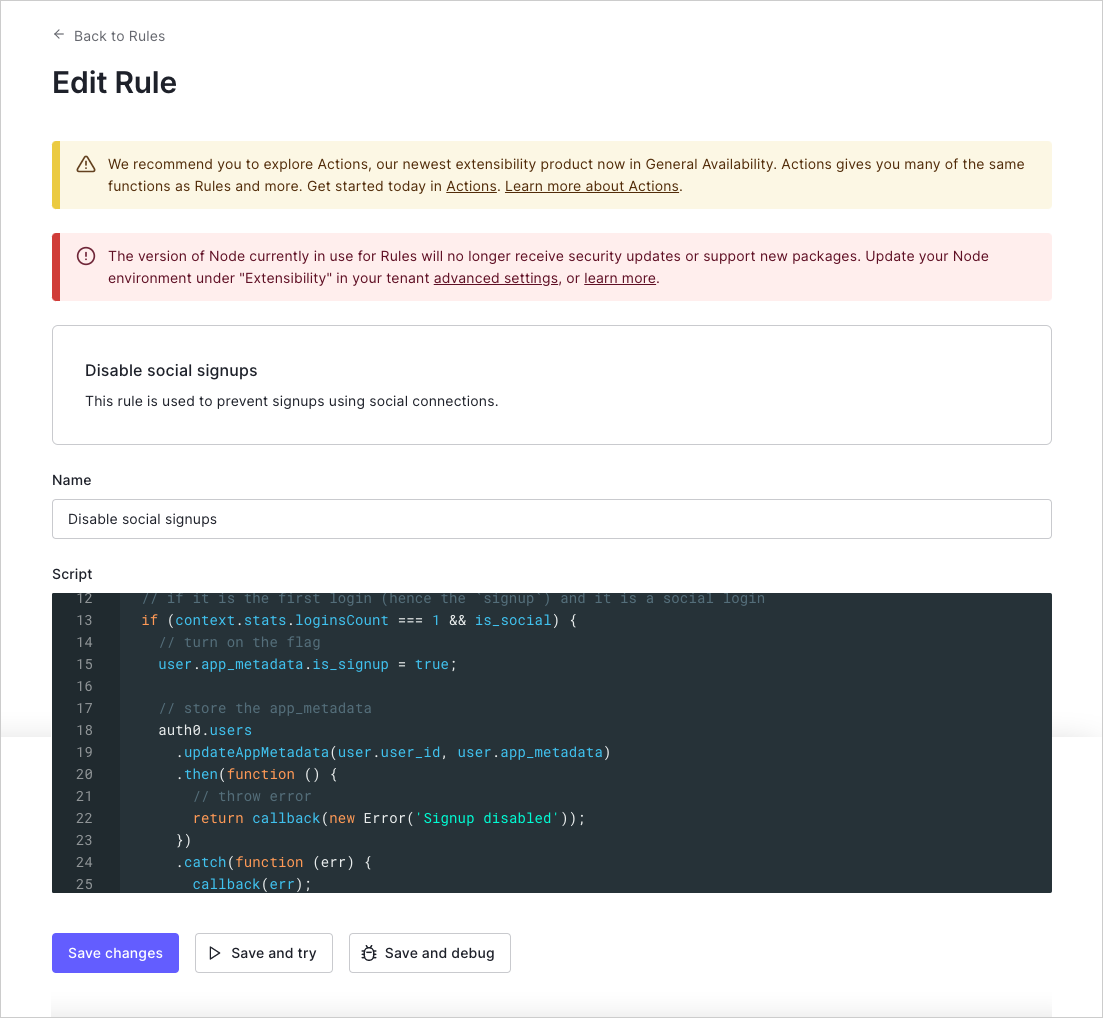
Name the rule, modify the script to suit your needs, and click Save changes.
Use the Management API
Make aPOST call to the Create Rule endpoint. Be sure to replace MGMT_API_ACCESS_TOKEN, RULE_NAME, RULE_SCRIPT, RULE_ORDER, and RULE_ENABLED placeholder values with your , rule name, rule script, rule order number, and rule enabled value, respectively.
Using the Auth0 CLI? If you haven’t already, set up and authenticate your CLI session before running this command.
Manage rate limits
For rules that call Auth0 APIs, you should always handle rate limiting by checking theX-RateLimit-Remaining header and acting appropriately when the number returned nears 0. You should also add logic to handle cases in which you exceed the provided rate limits and receive the HTTP Status Code 429 (Too Many Requests); in this case, if a retry is needed, it is best to allow for a back-off to avoid going into an infinite retry loop. To learn more about rate limits, read Rate Limit Policy For Auth0 APIs.