Rules will reach end of life (EOL) on January 31, 2028.
  • As of October 16, 2023, Rules are no longer available in newly created tenants.
  • As of November 18, 2024, Rules are read-only. Active Rules still run, and you can enable or disable them and change their configuration values and secrets. You can’t edit their code in the Dashboard, the Management API, or tools that use it, such as the Auth0 CLI, Deploy CLI, Terraform, and Agent Skills.
  • After January 31, 2028, Rules stop running and are removed.
Use Actions to extend Auth0:
You can configure global variables for rules using Auth0’s Dashboard. To learn more, see Auth0 Rules.
  1. Go to Auth0 Dashboard > Auth Pipeline > Rules and locate the Settings section.
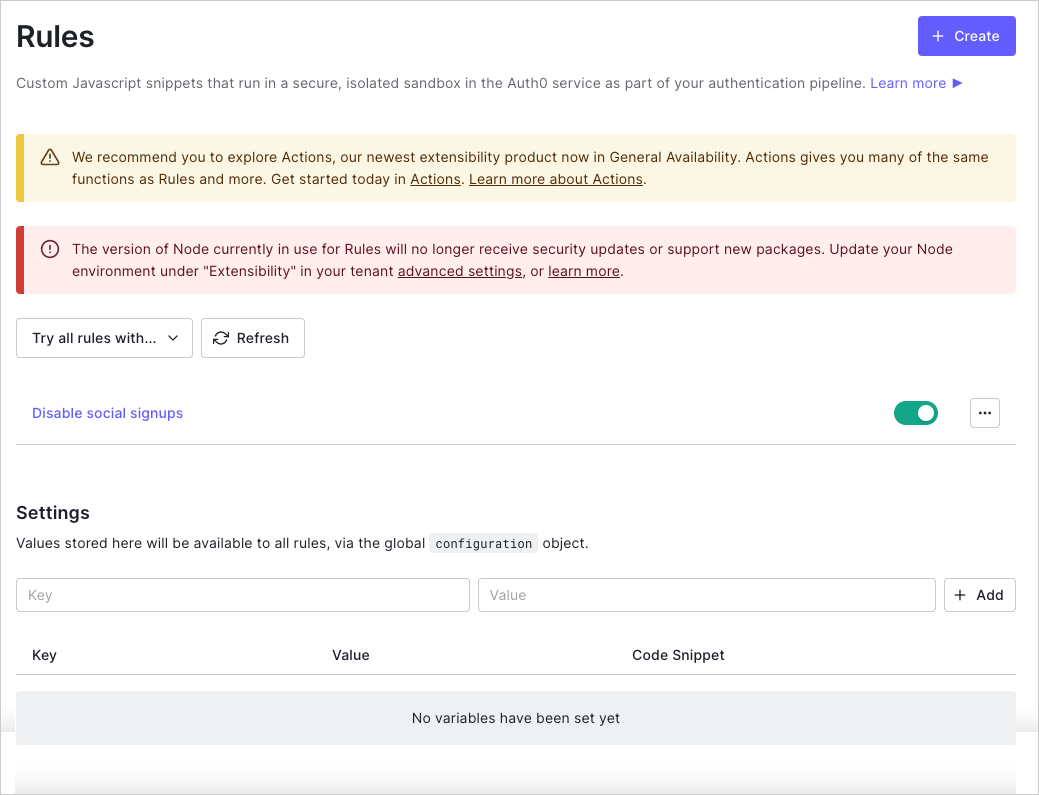
    Dashboard - Auth Pipeline - Rules
  2. Enter a variable key/value pair, and select + Add. The entered value is now available to all rules via the global configuration object and can be referenced using the value in the Code Snippet column.

Learn more